PYTHON DEPLOYMENT, MADE CLEAR
Deploy your Django,
FastAPI, or Flask app
to your own server.
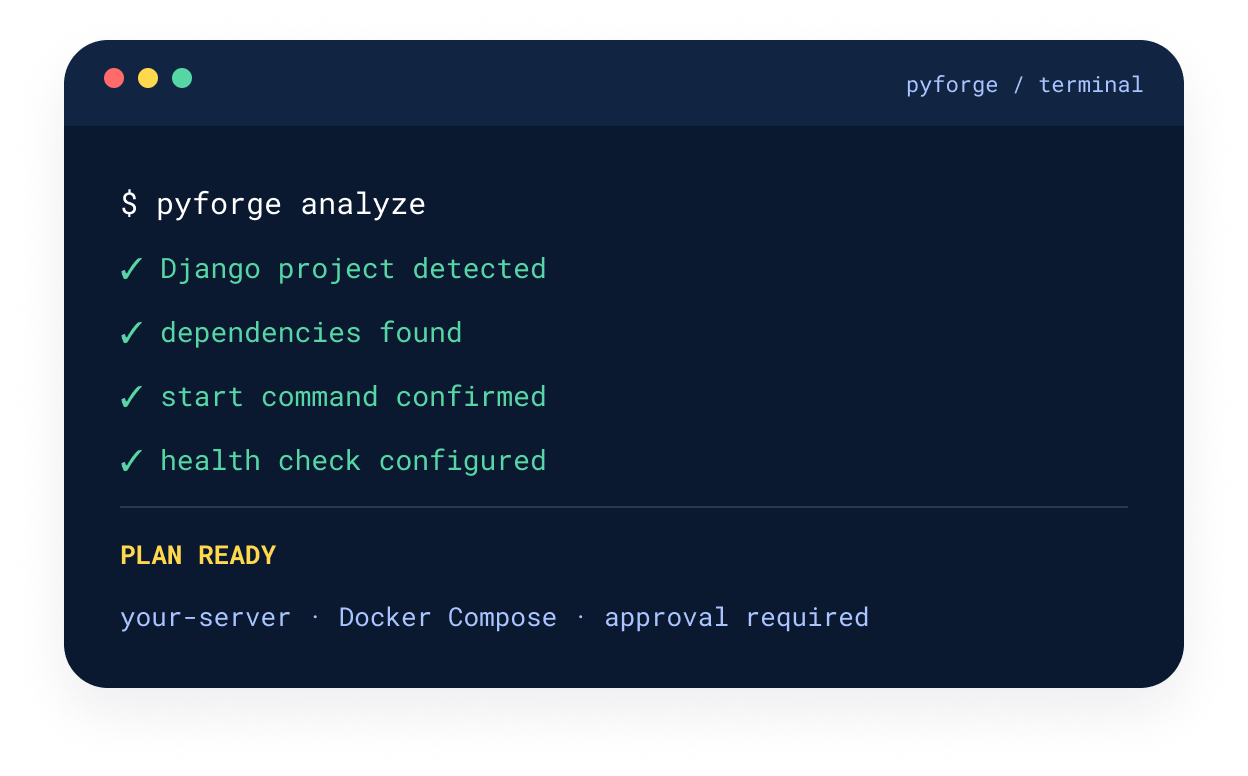
PyForge analyzes your project, prepares a Docker deployment, runs
checks, and shows every command before it changes your server.

-

Local-first
-
Review every command
-
Deploy over SSH
-
No hosted control plane
 THREE CLEAR STEPS
From source code to your server—without a black box.
-
01 / 03
Connect
Upload a folder, ZIP archive, or public Git repository.
-
02 / 03
Configure
Confirm framework, command, port, environment variables, database, and server.
-
03 / 03
Deploy
Review the plan, approve commands, and monitor logs.
CAPABILITIES
Practical deployment machinery, kept in view.
PyForge automates the repetitive work while keeping the plan, commands, and target infrastructure legible.
-

Project analysis
Detects your Python project and confirms the framework, dependencies, start command, and health check.
-

Docker generation
Generates a Dockerfile and Docker Compose configuration for the reviewed deployment.
-

SSH server checks
Checks your Linux server over SSH and confirms Docker is installed before deployment.
-

Reviewable deployment plans
Shows each command for approval before making changes to your server.
-

Optional PostgreSQL
Adds PostgreSQL when your project needs it—without making a database mandatory.
-

Logs and health checks
Displays deployment logs and application health status after startup.

LOCAL-TO-SERVER ARCHITECTURE
Your code stays local. Your app runs on your server.
PyForge prepares and reviews the deployment locally, then reaches the server you control over SSH.
-
Your project
Folder / ZIP / Git

-
Local PyForge
Analysis + plan
-
SSH
Secure connection
-
Your Linux server
Docker installed
-
Docker application
Logs + health

LOCAL CONTROL → SSH BOUNDARY → SERVER YOU OWN
REVIEW BEFORE EXECUTION
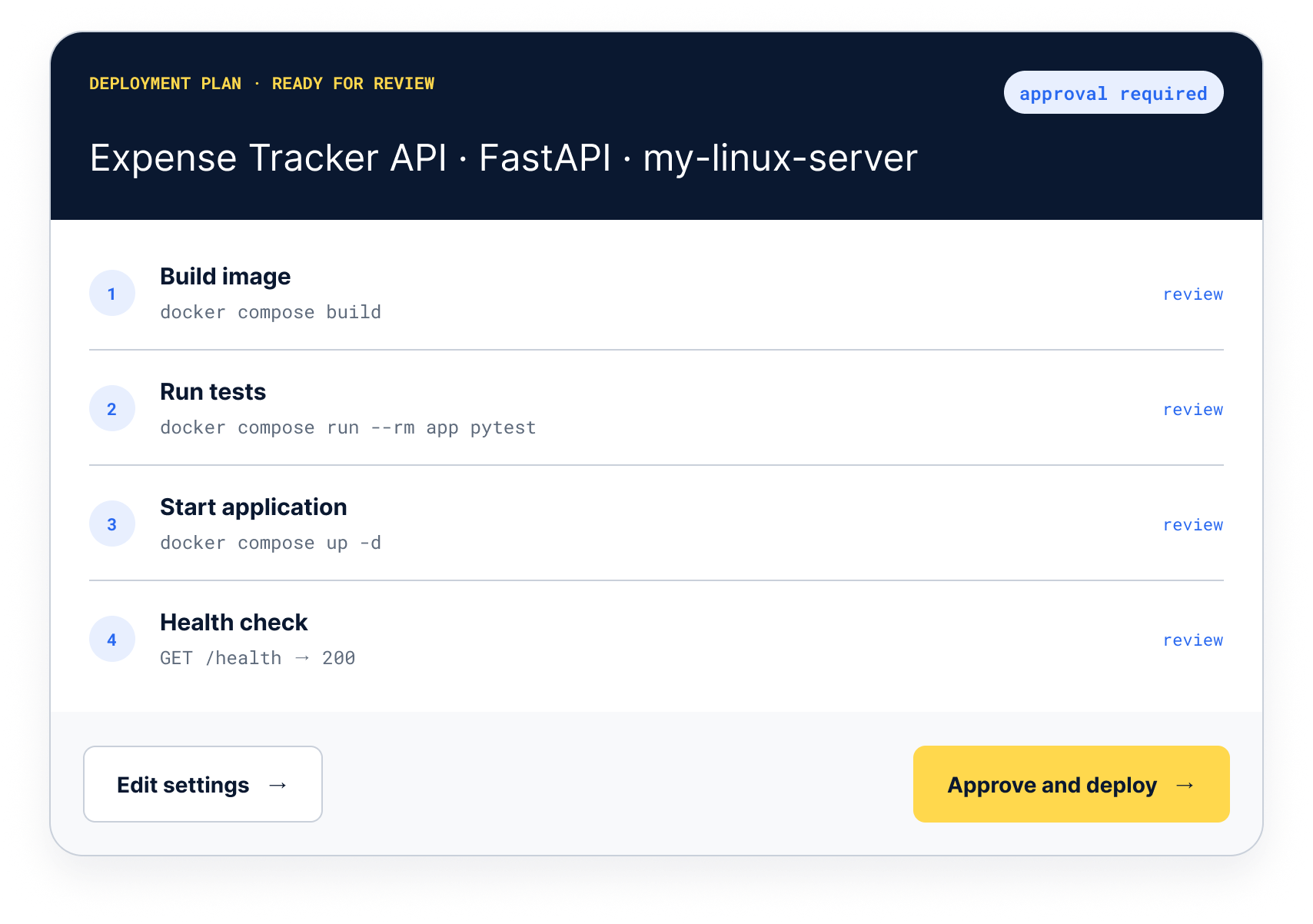
A deployment plan
you can read before you run it.
Settings, steps, and commands remain visible. Nothing changes on the server until you approve the plan.
-
Commands shown in sequence
-
Server target stays explicit
-
Approval required before execution
 SUPPORTED PROJECTS
Built for common Python web projects.
PyForge supports Django, FastAPI, and Flask while keeping project-specific settings available for confirmation.
-

Django
Detects the Django project, dependencies, start command, port, environment variables, and health check.
manage.py
Docker Compose
-

FastAPI
Confirms the application command and port, then includes them in the reviewable deployment plan.
ASGI app
Health check
-

Flask
Analyzes the project and lets you confirm its start command, port, and deployment settings.
WSGI app
SSH deploy
PRACTICAL ANSWERS
Questions before your first deploy.
The operating model is intentionally simple: local tooling, reviewable commands, SSH, and infrastructure you own.
-
Where does PyForge run?
PyForge runs locally. It analyzes and prepares the deployment on your machine, then connects to your server over SSH.
-
What server do I need?
A Linux server with Docker installed. PyForge checks the server before deployment.
-
Can I review commands before they run?
Yes. PyForge shows the deployment plan and commands for approval before it changes your server.
-
Does PyForge generate Docker configuration?
Yes. It generates a Dockerfile and Docker Compose configuration for the deployment.
-
Is PostgreSQL required?
No. PostgreSQL is optional and can be included when your project needs it.
-
Which Python frameworks are supported?
PyForge supports Django, FastAPI, and Flask projects.
START LOCALLY
Run PyForge locally.
Analyze your Python project, review the plan, and deploy over SSH to the Linux server you control.